When you purchase through links on our site, we may earn an affiliate commission. Here’s how it works.
5 Best VPNs for GeForce Now in 2026


Our experts have reviewed 53 VPN providers, which were put through extensive rounds of testing. To learn more about that process, here’s how we review VPNs, where we explain our criteria and our policy of being fully transparent.
Nvidia GeForce Now’s cloud gaming service is gaining popularity but has some accessibility challenges. Geo-restrictions can block access to the service's game library, even though GeForce Now is available in most regions. Latency and lag issues can also disrupt gaming experiences. Gamers may also harbor security concerns about the safety of their gaming activities.
You can solve these issues easily with a gaming-friendly VPN. A VPN can circumvent geo-blocks and effectively reduce lag and latency for seamless, uninterrupted gameplay. It also bolsters your security and safeguards your cloud gaming activities with encryption. Plus, you'll get to prevent IP bans, protect yourself against DDoS attacks, and even bypass ISP throttling.
In this article, we'll explore the 5 best VPNs for GeForce Now, guide you on configuring a VPN, and highlight the importance of using one. We'll also assist you in selecting a VPN that perfectly meets your needs and address some FAQs.
Best GeForce Now VPNs - Our Shortlist
- NordVPN – Our Best-Rated VPN for GeForce Now in 2026
- Surfshark – Best VPN for GeForce Now for Low Ping and Latency
- ExpressVPN – Speedy GeForce Now VPN with High-End Security
- CyberGhost VPN – GeForce Now VPN with Gaming-Optimized Servers
- Private Internet Access – Ultra-High-End VPN for GeForce Now
How to Play Games on GeForce Now with a VPN
First, register with a VPN compatible with the cloud gaming platform. Then, connect to a server before initializing your gaming session. These are the steps you need to take:
- Subscribe to a VPN that works with GeForce Now (we recommend NordVPN)
- Download and install the VPN app for your chosen gaming device.
- Log in to the VPN service using your credentials.
- Connect the VPN to a server where your desired game is available.
- Log in to your GeForce account.
- That’s it! Now, you can start cloud gaming safely.
The Best VPNs for GeForce Now in 2026
During your search for the best provider, consider the criteria we laid out in our article on the best VPN for online games. First, the VPN should be able to unblock GeForce Now and other geo-restricted content. Next, look for a VPN with an extensive server network, including servers in the US and across Europe, where GeForce Now is primarily supported.
Additionally, a VPN should prioritize privacy and security, with reliable protocols like OpenVPN, WireGuard, and AES 256-bit/ChaCha20 encryption to protect user data. You'll also need a kill switch, which helps prevent accidental data leaks during gameplay sessions. In addition, it should prioritize performance and speed, minimizing ping and controlling latency.
Moreover, multiple simultaneous connections and compatibility with devices like computers and phones are essential. Look for a provider that offers a fair price, a generous money-back guarantee, and reliable customer support to ensure you have assistance if any issues arise.
Given the above criteria, here are the 5 best VPN services for GeForce Now:
1. NordVPN – Our Best-Rated VPN for GeForce Now in 2026
NordVPN is a long-standing VPN provider with 1,970+ US servers and thousands in Europe, managing to easily unblock GeForce Now and other geo-restricted content. Overall, you’ll get seamless streaming and browsing experiences thanks to its extra-wide network of over 6,400 servers across 111 countries, making it easy to pair this VPN with a service such as GeForce Now.
This VPN assures top-tier security through strong AES 256-bit and ChaCha20 encryption and reliable security protocols like OpenVPN, NordLynx, and IKEv2/IPsec. It also offers a Double VPN feature, which routes your traffic through 2 VPN servers for double the encryption, which you can learn more about in our full analysis of NordVPN.
NordVPN delivers high speeds and stable performance and a kill switch for leak protection. This VPN also minimizes ping and keeps latency under control by rerouting traffic close to GeForce game servers. Supporting up to 10 simultaneous connections, you can use NordVPN on many different gaming devices, including computers and tablets, ensuring you're always covered.
All that is available at $3.09/month for NordVPN's 2-year plan. Also, it offers a 30-day refund policy, reaffirming its commitment to customer satisfaction. Finally, NordVPN provides round-the-clock customer support to address any concerns instantly. You'll also find email support, installation guides, comprehensive explainers, and more.
PROS
- Compatible with GeForce Now.
- Lowers ping and controls latency.
- Superb connection with high speeds.
- Supports 10 devices at once.
- 24/7 customer support.
- 30-day money-back guarantee.
CONS
- DoubleVPN slows you down.
2. Surfshark – Best VPN for GeForce Now for Low Ping and Latency
Surfshark is a superior VPN provider with over 3,200 servers across 100 countries. With 600+ servers in the US and thousands in Europe, as well as evenly distributed servers across the rest of the world, you can access GeForce Now and other region-restricted content. This provides an unobstructed gaming experience from anywhere.
Surfshark employs secure protocols (such as WireGuard, OpenVPN, and IKEv2/IPsec) and uses robust AES 256-bit and ChaCha20 encryption standards for a safe, uninterrupted gaming experience. Even though it sometimes takes 10+ seconds to connect, Surfshark's data tunnels are very stable, so you won't experience any fluctuations during your gameplay sessions.
With a strong kill switch, Surfshark also offers strong online privacy and security. By connecting to a VPN server close to a game server, users will enjoy reduced ping and stabilized latency. Moreover, its dependable performance and impressive speed ensure seamless gaming. Plus, Surfshark allows unlimited simultaneous connections across all devices, including computers, mobiles, and more.
Right now, this VPN is priced at only $2.19/month if you choose its 2-year plan. There's also a 30-day refund period if you change your mind about the provider. Let's not forget to mention that Surfshark offers 24/7 live chat support in addition to email support, support tickets, installation guides, an active blog section, and plenty more.
PROS
- Supports GeForce Now.
- Robust encryption and security protocols.
- Unlimited device connections.
- Servers in 100 countries in total.
- Round-the-clock customer support.
- 30-day refund period.
CONS
- Can take a bit to connect.
3. ExpressVPN – Speedy GeForce Now VPN with High-End Security
ExpressVPN excels in providing unrestricted access to GeForce Now and other geo-blocked content. With an extensive network of thousands of servers across 105 countries, you’ll be able to access any type of international content. Its 24 US and multiple European server locations allow you to connect to VPN servers near GeForce’s game servers easily.
ExpressVPN’s security is fortified with protocols like OpenVPN, Lightway, and IKEv2/IPsec, coupled with AES 256-bit and WolfSSL encryption for user privacy. While OpenVPN will ensure the safety and privacy of your data, ExpressVPN's own Lightway strikes the right balance between security and performance, making it ideal for online gaming.
This VPN offers advanced features like a kill switch (called Network Lock), enhancing your security and privacy online. Moreover, it effectively reduces ping and controls latency by intelligently routing data, offering a smoother gaming experience. ExpressVPN allows concurrent connections for up to 8 devices and is compatible with various devices, from computers to smartphones.
ExpressVPN's lowest price is $6.67/month for its annual subscription plan. That said, you'll be getting it risk-free, as this VPN has a no-questions-asked 30-day money-back policy. Also, customer support is always available for immediate assistance at any hour of the day. You can chat with ExpressVPN's agents live or consult its extensive library of written support material.
PROS
- Works for GeForce Now.
- Up to 8 simultaneous connections.
- High-speed and stable connections.
- Effectively reduces ping and lagging.
- 24/7 live chat support.
- 30-day refund policy.
CONS
- Not the most affordable pick.
4. CyberGhost VPN – GeForce Now VPN with Gaming-Optimized Servers
CyberGhost is another strong option, commanding a vast digital presence with thousands of servers across 100 countries. With 1,500+ servers in the US and thousands more in Europe, as well as across all other popular "VPN destinations," CyberGhost provides broad coverage and seamless access to GeForce Now game servers, especially on Windows, where it offers gaming-ready servers.
This VPN unblocks GeForce Now and other geo-restricted content with ease. Your online activities remain well-protected with strong and proven protocols like WireGuard, OpenVPN, and IKEv2/IPsec protocols, along with AES 256-bit and ChaCha20 encryption. CyberGhost also integrates a kill switch, which reduces the risk of accidental data leaks.
This VPN provides medium-fast, trustworthy connections that keep latency under control and ping to a minimum. This is achieved by optimally routing your data to reduce its travel distance, speeding up your Internet connection. With CyberGhost, you’ll also have the freedom to connect up to 7 devices at the same time, catering to computers, tablets, and mobile phones.
Right now, CyberGhost's 2-year plan costs $2.19/month, which seems more than reasonible. Plus, there's a generous 45-day money-back policy, allowing you to test this VPN properly. Lastly, it's a reliable solution for your privacy needs, offering 24/7 customer support, paired with email support, all types of installation guides, and plenty more.
PROS
- Unblocks GeForce Now.
- Independently audited no-logs policy.
- Gaming-optimized servers available.
- Reliable security and privacy.
- Dependable customer support.
- 45-day refund period.
CONS
- Medium-fast connection speeds.
5. Private Internet Access – Ultra-High-End VPN for GeForce Now
Private Internet Access is another reliable VPN boasting thousands of servers across 91 countries. Specifically for gamers, it offers VPN servers in all 50 US states and thousands in Europe, with an even presence across the rest of the world, making it easy to unblock GeForce Now wherever you are.
PIA stands out for its robust ability to bypass geo-restrictions, enabling users to access an array of global websites and streaming services. It uses AES 128/256-bit and ChaCha20 encryption and supports security protocols such as WireGuard, IKEv2/IPsec, and OpenVPN. This VPN also has advanced features, like several types of kill switches, providing you with a high level of fine-tuning.
It's not the fastest option out of the box, but it maintains a consistent connection. For gamers and live streamers, it can minimize ping and control latency by rerouting Internet traffic through optimized servers for smoother, uninterrupted gameplay, as shown in our Private Internet Access full review. You also get unlimited simultaneous connections, as well as apps for practically any device.
PIA's 2-year subscription costs $2.19/month and comes backed by a generous 30-day refund period. So, you'll get plenty of time to check if PIA is the right pick for you. That said, if you encounter any issues, make sure to use PIA's 24/7 live chat customer service, and you can also consult their explainers, FAQs, and installation guides.
PROS
- Compatible with Nvidia GeForce Now.
- Strong geo-unblocking capabilities.
- Minimizes lagging issues.
- Highly customizable settings.
- 30-day money-back period.
- 24/7 live chat support.
CONS
- Not the fastest option.
- Requires some optimization.
Do You Need a VPN for GeForce Now?
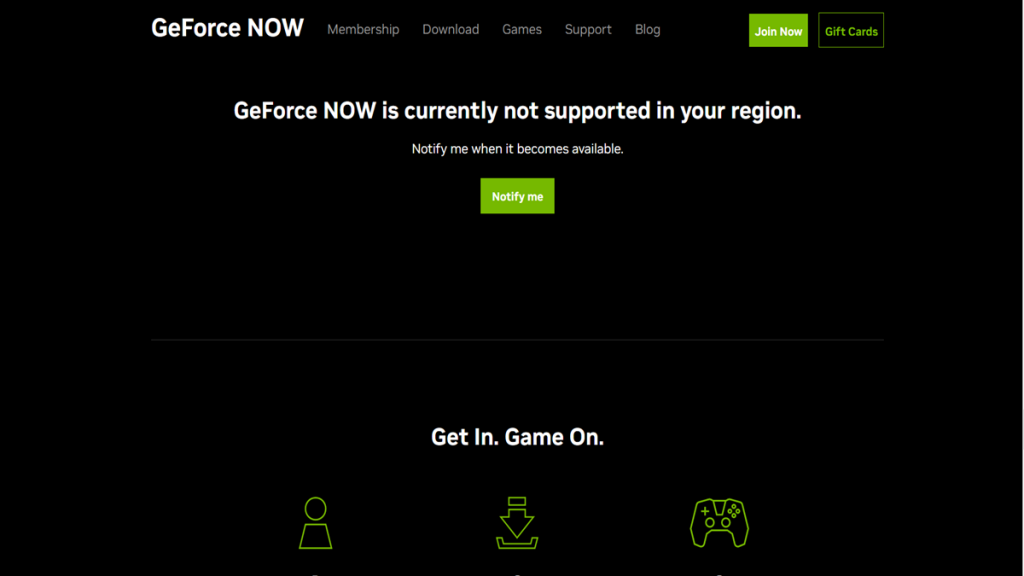
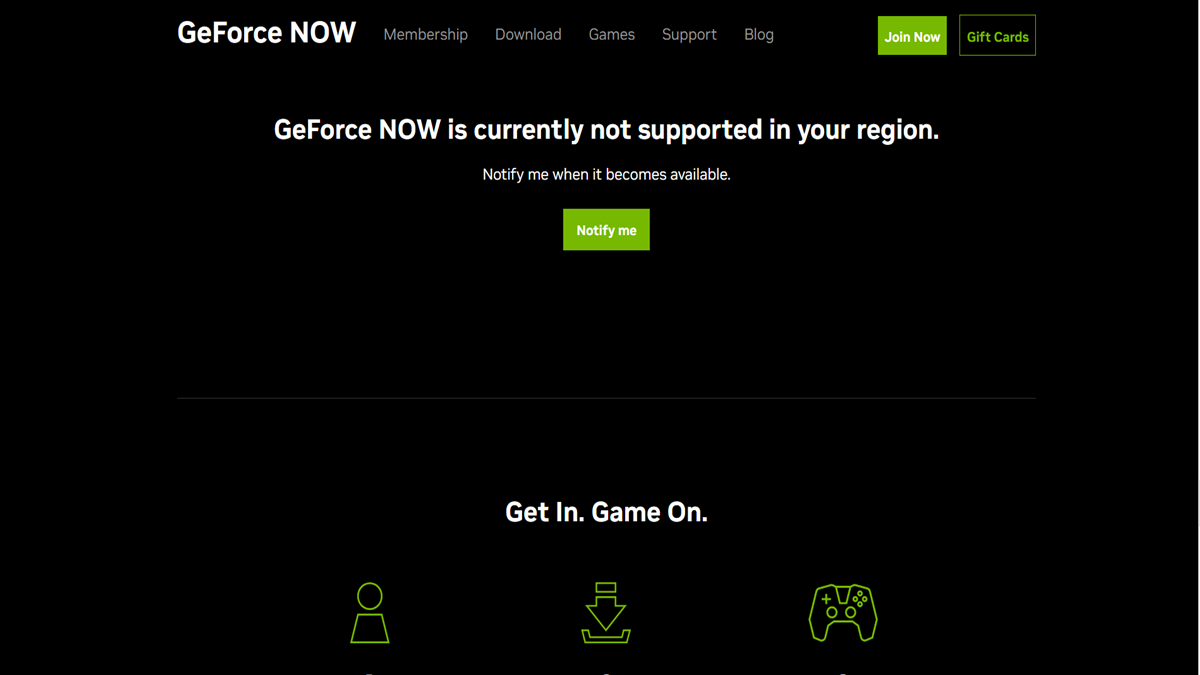
A VPN will allow you to reduce lagging, guard yourself against cyber threats, and unblock the cloud gaming service from anywhere. Without a VPN, trying to access it from a restricted location will trigger this error: "GeForce NOW is currently not supported in your region."
Other reasons why you need a GeForce Now VPN include:
- Reduce Ping and Decrease Lag – A VPN can reduce lagging and ping by connecting to a VPN server closer to the game server.
- Bypass IP-Based Game Blocks/Bans – If your IP gets banned, a VPN can help you bypass this by changing your IP address so you can continue gaming.
- Get Around Overcrowded Game Servers – Some popular games suffer from server overcrowding. A VPN lets you connect to less crowded servers in different regions.
- Protect Yourself Against DDoS - By ensuring that your actual IP address doesn't surface online, a VPN is a safe solution to preventing DDoS attacks.
- Access Blocked/Restricted Game Releases – VPNs enable connection to global servers, which will unblock region-restricted games unavailable in your area.
- Play the Newest Games Early - Since a VPN allows you to change your virtual location, you can use a server ahead of your time zone to get the latest releases and betas first.
- Avoid Bandwidth Throttling – Using a VPN can prevent ISPs from throttling your bandwidth since they won’t be able to see how much data you use.
- Game Safely on Public Wi-Fi – Unsecured networks like public Wi-Fi can expose your device to threats. Use a VPN to encrypt your connection for secure gaming.
- Bypass Price Discrimination – VPNs can help you save money by connecting to servers in regions where prices may be lower.
- Get Weapons and Cosmetics for Free – Some games offer region-specific bonuses like free weapons or skins. You can access these perks by using a VPN.
Tips on Choosing the Best GeForce Now VPN
You need to look for features like an expansive server network, content-unblocking capabilities, and fast speeds with the lowest ping and latency. Other features to look for in a VPN include:
- Ability to Access Geo-Restricted Games – Many games are geo-blocked, meaning they're only available in specific countries. A VPN can help bypass these restrictions by changing your virtual location, prompting GeForce Now to show you previously blocked titles.
- Sizable Network of VPN Servers – A large server network provides more opportunities to find a fast and reliable connection. It also increases the chances of bypassing geo-blocks and reduces server congestion for better gaming performance.
- Reliable VPN Protocols and Encryption – High-level VPN protocols and encryption are necessary for secure gaming. We recommend sticking to OpenVPN and WireGuard, paired with AES-256 and ChaCha20, to get the best possible gaming experience.
- Inclusion of a Kill Switch – A kill switch protects your data by disconnecting your device from the Internet if your VPN connection drops. That way, your VPN will prevent accidental data leaks and your IP address from being visible by individual games.
- Gaming-Friendly Performance and Speed – A fast VPN with consistent performance can stabilize latency and reduce lag for seamless gaming. Remember that having a long ping is the only way to reduce your latency and get a more responsive image overall.
- Simultaneous Connections and Supported Devices – VPNs that allow multiple connections enable you to game on different devices simultaneously. It’s also important that they support numerous kinds of gaming devices, like computers, smartphones, and tablets.
- Native Software for Gaming Devices - GeForce works across practically any Web-connected device, as it offers a wide range of applications. So, whether you game on a phone, tablet, computer, or large-screen TV, you'll want a VPN with native software across the board.
- Money-Back Guarantees – Many VPNs offer a money-back guarantee, allowing you to test their service risk-free. Most of today's VPNs give you 30 days to test out their services.
- Customer Support – Reliable customer support is essential for troubleshooting potential issues with your VPN. Look for providers with 24/7 support via live chat or email.
Final Thoughts
GeForce Now gamers may encounter limited access to gaming servers due to geo-restrictions. Plus, they deal with lagging issues and concerns about privacy. Also, GeForce Now is still not available everywhere. However, you can bypass those issues with a VPN, which will also help you prevent IP bans, keep DDoS attacks away, and even eliminate ISP throttling.
NordVPN gives you the smoothest gameplay experience, no matter where you're located. This hugely powerful VPN for GeForce Now has a vast network of servers, advanced VPN protocols, and reliable customer support to make it stand out. It will give you access to region-locked games, diminish ping, and circumvent IP-based restrictions, making it an optimal choice for avid gamers.
That’s all for our guide on choosing a VPN to unblock and optimize your GeForce Now sessions. If you have any questions, please leave a comment below. Thank you for reading!