When you purchase through links on our site, we may earn an affiliate commission. Here’s how it works.
How to Watch Disney+ Hotstar in the UK

You probably already know that Hotstar is available in the United Kingdom, but that doesn't include any Disney content. Moreover, if you’re after Indian movies and TV shows, you’ll want to access Disney+ Hotstar, which is reserved for India only. Even if you already have an Indian Disney Plus Hotstar account, you won't be able to use it while traveling in the UK.
There are many differences between them, so bypassing that geo-block comes with plenty of rewards. The trick to unblocking Disney+ Hotstar in the UK is to use a capable VPN. That will give you access to plenty of free content that isn’t available on the UK version. Moreover, if you’re an Indian citizen living in the UK, you can use a VPN to watch both Disney Plus titles and Hotstar Specials.
In this article, we'll explain how to watch Disney+ Hotstar in the UK and why you need a VPN, plus recommend the best providers. You'll also learn how much Disney Plus Hotstar costs, how to pay for it, what to watch on the streaming service, and the differences between the UK and Indian versions. Plus, we offer troubleshooting tips if you can't access Disney+ Hotstar and much more.
How to Watch Disney Plus Hotstar in the UK
You'll need to get a VPN if you want to stream Disney+ Hotstar in the UK. It needs to work with the streaming service and offer servers in India. Here are the exact steps to take:
- Subscribe to a capable VPN that unblocks Hotstar (we recommend NordVPN).
- Download and install the VPN on your computer.
- Open the VPN app and log in to your account.
- Connect to a server in India.
- Visit Disney+ Hotstar’s website or download the app.
- If you just want to stream free content with ads, there's no need to go any further.
- If you want to get Disney+ Hotstar Premium and avoid ads, you'll have to subscribe.
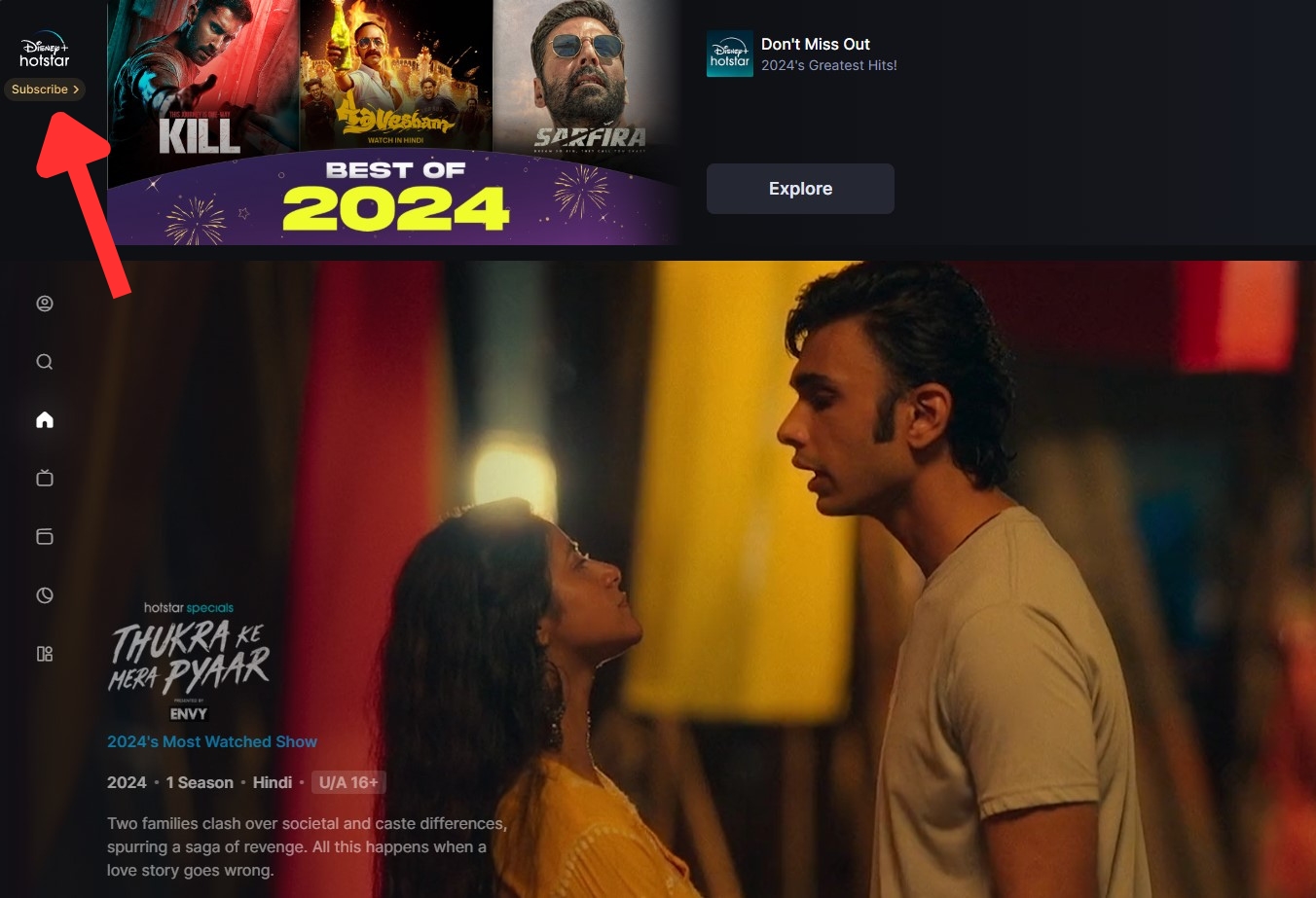
- Click "Subscribe" on Hotstar's home page.

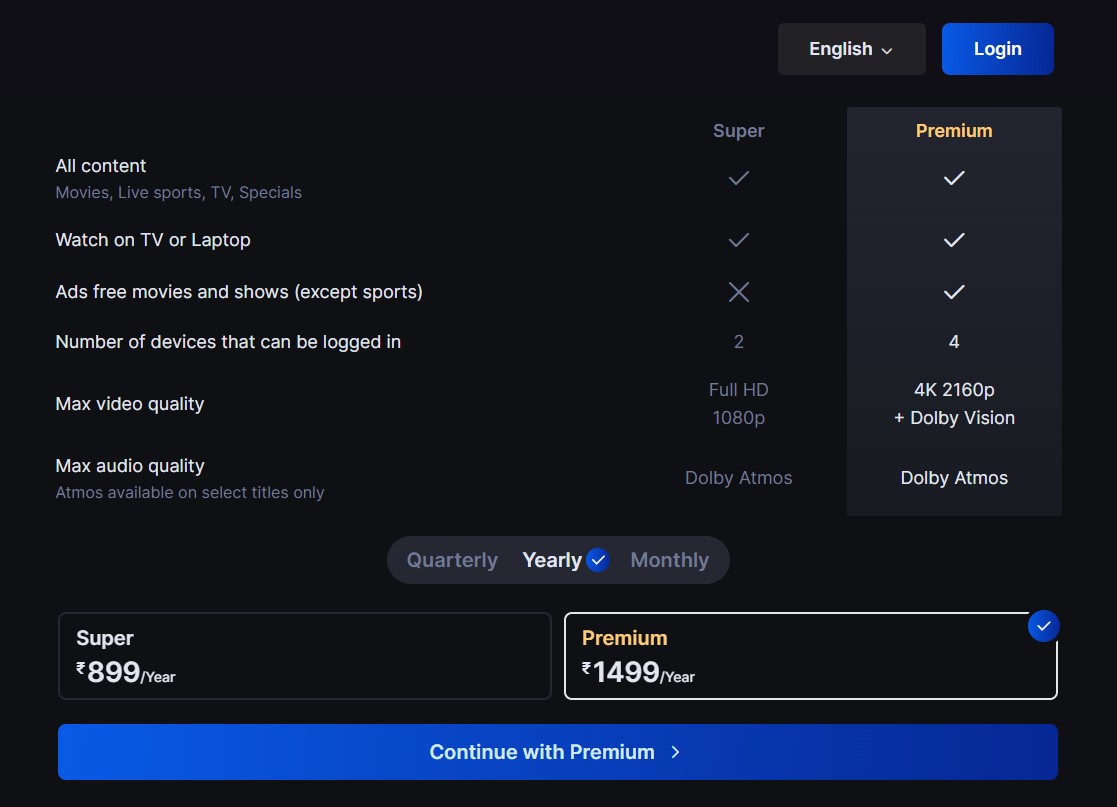
- Pick the plan that works for you and click the blue "Continue" button.

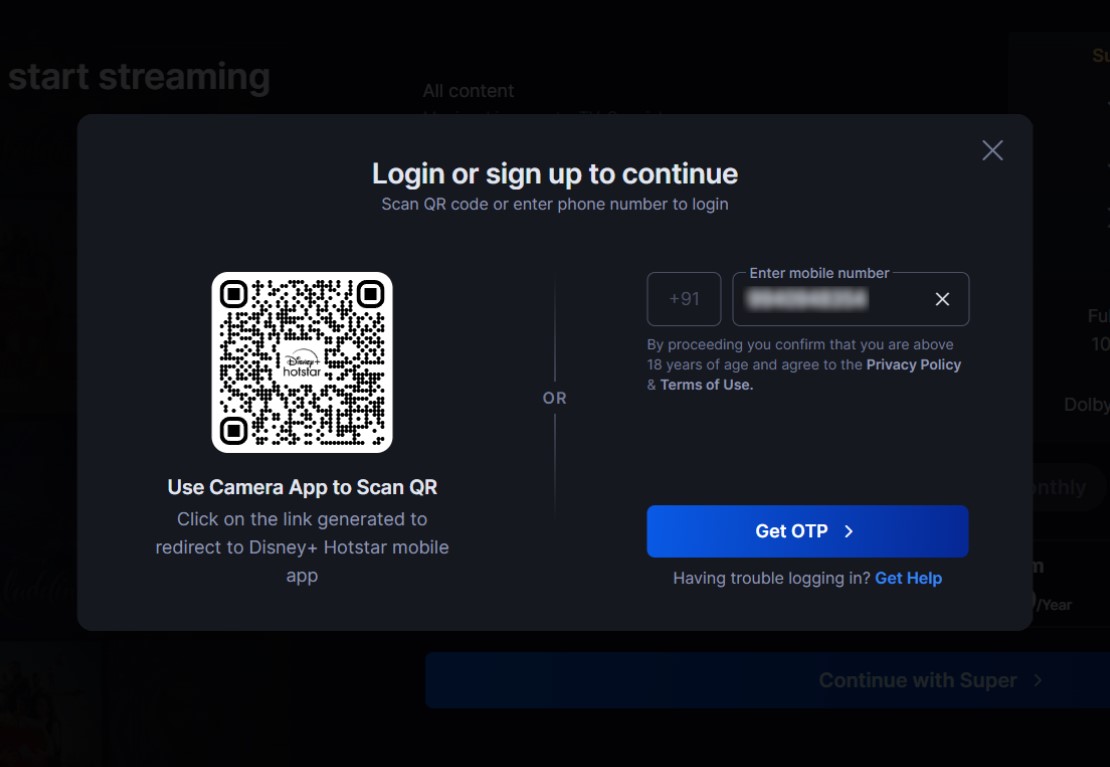
- Enter an Indian phone number and verify via text message.

- Select a payment method and enter your billing details to finalize the payment.
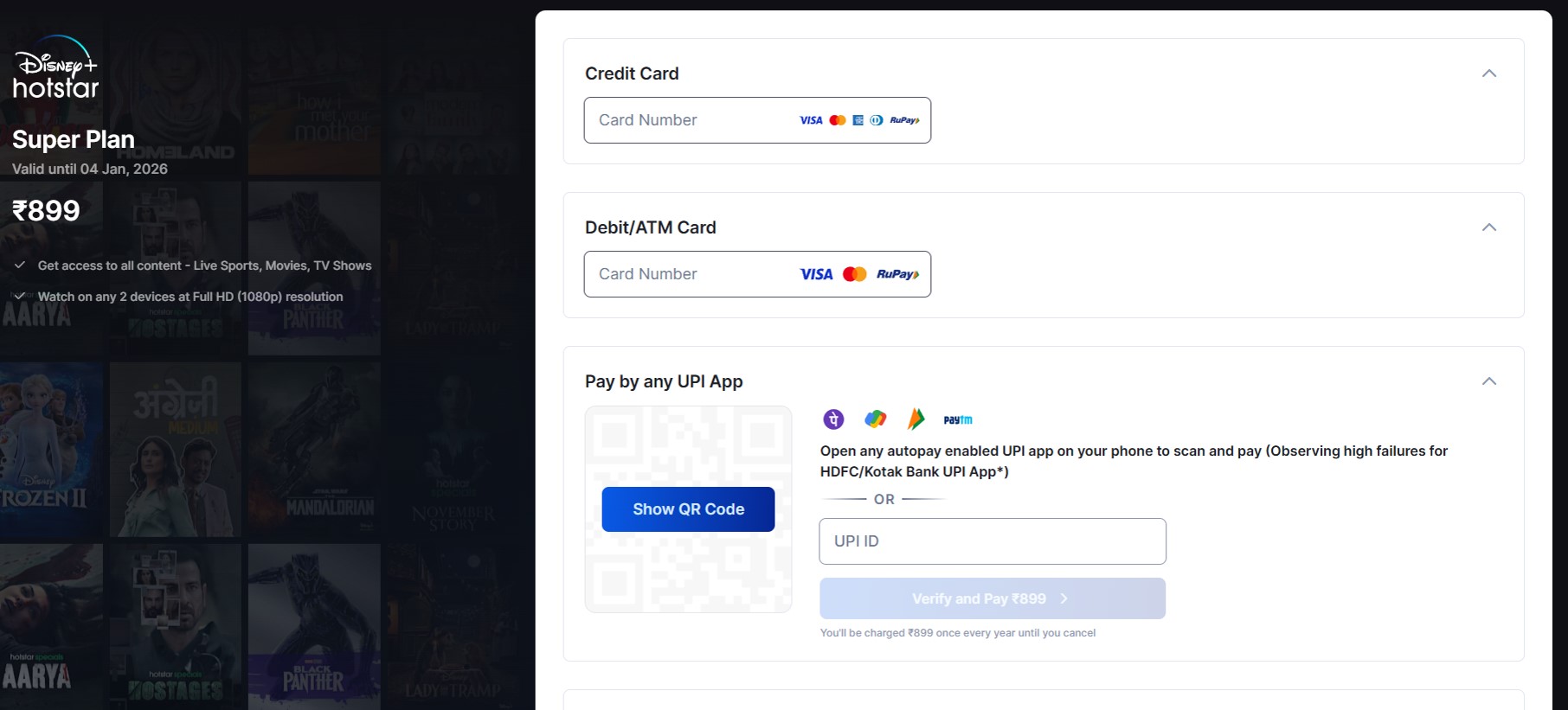

- That's it! Find a movie or TV show to watch and enjoy!
You can watch Disney Plus Hotstar for free, but if you want to get a Premium subscription, this requires a form of payment with a valid Indian billing address (Indian debit/credit card, bank account, or any UPI app). You'll also need an Indian phone number for text verification, which can be difficult unless you know someone who can help. If so, you can also pay with a Google Play gift card (more on that later).
Do You Need a VPN for Streaming Hotstar in the UK?
Yes, if you want to access the Indian version of the streaming service, you need a VPN to get Hotstar in the UK. Disney+ Hotstar is available in India, Indonesia, Malaysia, and Thailand - but the most complete library is exclusive to India. Then there's Hotstar UK, which doesn't include any Disney titles, as Disney Plus is a separate service there. Plus, Disney+ Hotstar has more Indian content than the UK version.
Sometimes, when you try to use Disney+ Hotstar in certain regions where it's not supported, it might fail to load content:
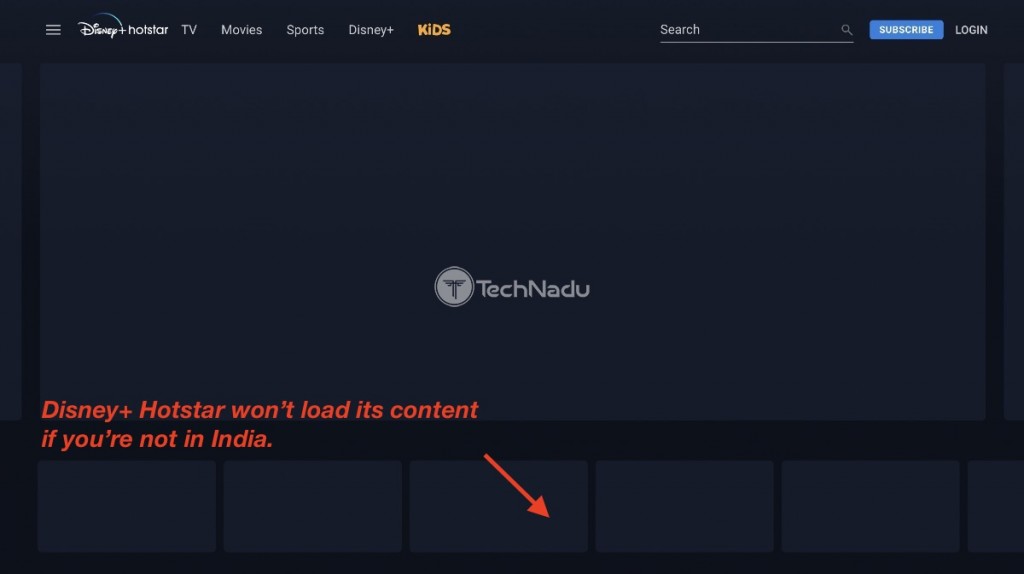
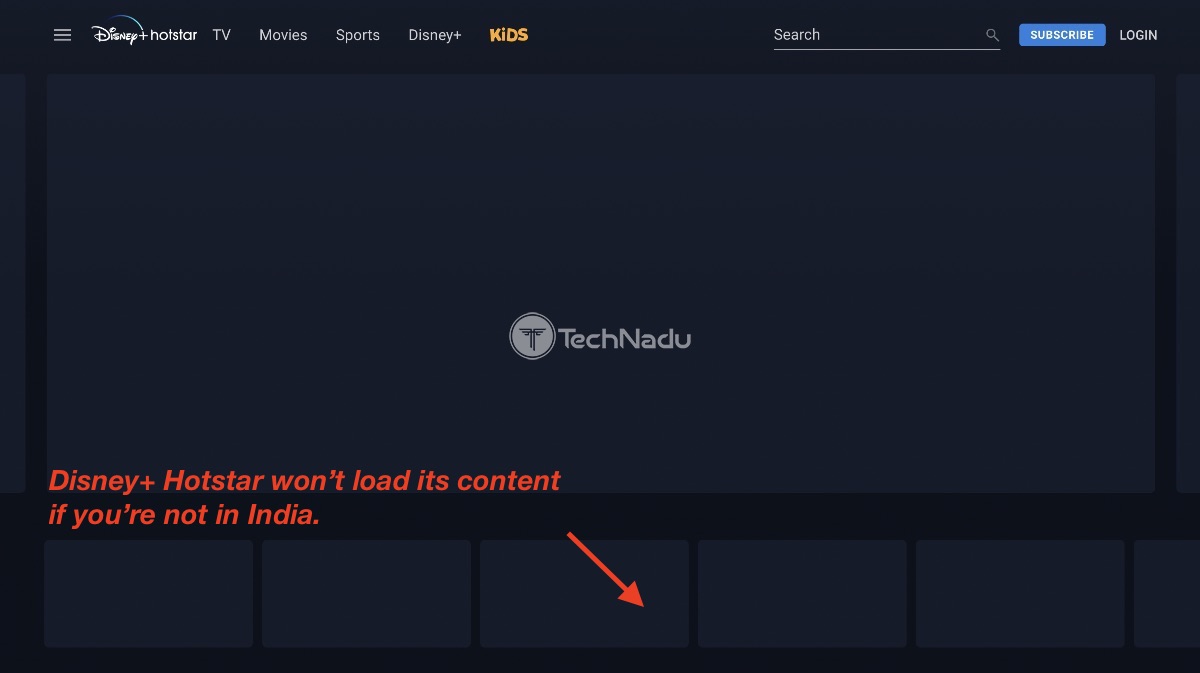
On the other hand, if you try to access Disney+ Hotstar from anywhere other than India, this error message will often appear: "Access Denied - You don't have permission to access http://www.hotstar.com/in on this server."
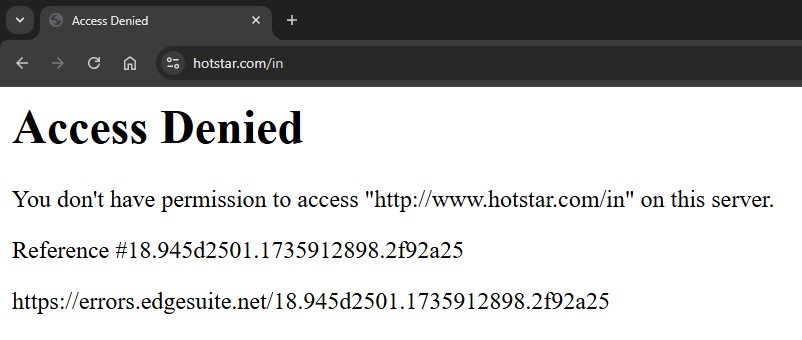
You have to use a VPN to get an Indian IP if you want to watch Hotstar from outside India. By connecting to an Indian server, it will appear as if you're in India, allowing you to stream content on Hotstar India (aka Disney+ Hotstar). That said, Disney+ Hotstar blocks a lot of VPNs, so there aren't many that will work - most don't have Indian servers to begin with.
Only the best Hotstar VPN can successfully unblock Hotstar India in UK locations. Based on our hands-on tests, we recommend NordVPN. It has incredibly fast streaming speeds and virtual Indian servers. It can easily unblock the Indian version of Disney+ Hotstar from anywhere, all while safeguarding your digital privacy.
The Best VPNs to Watch Disney+ Hotstar in the UK
Choosing the best VPN to use comes down to several key features.. First, it must allow you to unblock Disney+ Hotstar in the UK without a fuss. It also needs to have plenty of servers both in India and worldwide. Many providers have withdrawn from India due to their new data collection policies, so that’s harder to come by nowadays. Obfuscation is also important to keep your VPN use hidden.
Naturally, the VPN should offer fast speeds and reliable performance anywhere in the world. It also needs a kill switch so Hotstar won't detect your location during VPN disconnections. Security-wise, look for trusted encryption and secure protocols to protect your data, plus a strict no-logs policy to ensure privacy.
Otherwise, choose a VPN that is compatible with every popular device, from computers to mobiles and smart TVs. Plenty of simultaneous connections should be allowed for various activities besides streaming. Also make sure the VPN isn't too expensive. Finally, 24/7 live chat and a generous money-back policy are musts.
Based on these criteria, here are the best VPNs to stream Disney Plus Hotstar in the UK:
- NordVPN – Our #1-Rated VPN to Watch Disney+ Hotstar in the UK
- Surfshark – Stream Disney+ Hotstar in the UK with Blazing-Fast Servers
- ExpressVPN – Fully Obfuscated VPN for Unblocking Hotstar in the UK
- CyberGhost VPN – Budget VPN to Access Hotstar in the UK
1. NordVPN – Our #1-Rated VPN to Watch Disney+ Hotstar in the UK
NordVPN is the best VPN for watching Disney+ Hotstar in the UK for a few simple reasons. Obviously, it can easily unblock Disney+ Hotstar, thanks to virtual Indian servers in Mumbai. It also works with any other streaming services because it has 8,900+ servers in 129 countries. Its SmartPlay feature makes it easy to get around geo-restrictions, and many of its servers are obfuscated, too.
You'll enjoy blazing-fast speeds and reliable performance with NordVPN regardless of what server you connect to or where you're located. We were able to stream in 4K without any issues when we connected to servers both nearby and more remote.
NordVPN comes with an impressive security package, including a customizable-per-app kill switch and an audited no-logs policy. You can choose from 3 protocols: NordLynx (WireGuard-based), OpenVPN, IKEv2/IPsec, and NordWhisper. For streaming, we prefer NordLynx. These protocols are also paired with AES-256-GCM, ChaCha20, and Post-Quantum Encryption (NordLynx Protocol) encryption.
You can use NordVPN on all your devices, as its compatible with all popular systems - computers, tablets, smartphones, smart TVs, routers, and more. It offers a generous 10 simultaneous connections, so you can protect a whole household.
NordVPN is quite affordable - you can get it for as low as $3.09 per month for 24 months. It also offers a 30-day money-back guarantee so you can thoroughly test the service. Lastly, it comes with 24/7 live chat support in case you need any help.
PROS
- Virtual servers in Mumbai, India.
- Blazing-fast speeds.
- SmartPlay for bypassing geo-blocks.
- 10 simultaneous connections.
- 24/7 support via live chat.
- 30-day money-back guarantee.
CONS
- Obfuscation only on some servers.
2. Surfshark – Stream Disney+ Hotstar in the UK with Blazing-Fast Servers
Surfshark is an excellent choice for streaming Disney+ Hotstar for a few simple reasons. First, its smart DNS and Nexus features make it easy to unblock Disney Plus Hotstar, along with other streaming services from around the world. This is also thanks to its 50+ virtual servers in Delhi and Mumbai (and a total of 4,500+ servers in 100 countries). It supports obfuscation on its entire network, too.
At baseline, Surfshark delivers high-speed, stable connections. On top of that, its proprietary Nexus technology boosts speed and performance by making use of the entire Surfshark network. It optimizes your speed depending on what you’re doing, whether it’s downloading, browsing, or streaming Hotstar in the UK or abroad—all without affecting privacy.
Surfshark’s kill switch prevents any IP leaks if the VPN happens to disconnect. This VPN’s strict no-logs policy has been independently audited, guaranteeing that Surfshark never tracks your online behavior. It’s also equipped with industry-standard AES-256-GCM (OpenVPN and IKEv2), ChaCha20 (WireGuard), and Post-Quantum Encryption (WireGuard) encryption and robust WireGuard, IKEv2, and OpenVPN protocols.
Surfshark works on a wide variety of systems, including Windows, iOS, Android, macOS, Linux, Android TV, and many more. What’s also exciting is that you get unlimited simultaneous connections per subscription. It's pretty cheap, too - just $1.99 per month for 24 months. And, as expected, it offers 24/7 customer support and a generous 30-day money-back guarantee for added peace of mind.
PROS
- 50+ virtual Indian servers.
- Improved speeds with Nexus.
- Stealth VPN feature (Camouflage Mode).
- Unlimited simultaneous connections.
- 24/7 live chat.
- 30-day refund period.
CONS
- Users report iOS app glitches.
3. ExpressVPN – Fully Obfuscated VPN for Unblocking Hotstar in the UK
ExpressVPN is a great option if you want to access Hotstar in the UK while staying under the radar, as its entire network is obfuscated. That includes virtual Indian servers in Chennai and New Delhi. You can also choose from an undisclosed number of servers in 105 countries, making it easy to unblock any other streamers.
Moreover, you’ll get blazing-fast speeds and consistent performance regardless of the location you’re streaming from. Even better, our tests revealed that ExpressVPN’s obfuscation has little to no impact on streaming performance.
ExpressVPN includes a kill switch that will shut off traffic in case the VPN connection drops. And as with any VPN worth their salt, it maintains a strict no-logs policy, with frequent audits to confirm their claims.
For its protocols, it employs OpenVPN, Lightway, and IKEv2 and uses bank-grade AES-256 and ChaCha20/Poly1305 encryption methods. By default, ExpressVPN uses its own in-house Lightway protocol, which uses the lightweight WolfSSL encryption library for enhanced performance without sacrificing security.
ExpressVPN is supported on most devices nowadays, from Windows to smartphones and even Apple TV. A single subscription comes with 10-14 simultaneous connections, so you can watch Hotstar and have plenty leftover for other uses.
This VPN is one of the more expensive ones. A subscription for 24 months will cost you $2.44 per month. Luckily, you get a 30-day money-back guarantee in case you change your mind. Have any issues? Feel free to contact ExpressVPN’s support teams through their live chat available 24/7.
PROS
- Polished, beginner-friendly apps.
- Virtual servers in India.
- Entire network is obfuscated.
- 8 simultaneous connections.
- 30-day money-back policy.
- 24/7 customer support.
CONS
- Above-average subscription prices.
4. CyberGhost VPN – Budget VPN to Access Hotstar in the UK
With CyberGhost VPN, you’ll not only be able to unblock Hotstar India but also 80+ other streaming sites from around the world. It boasts a massive network but with an undisclosed number of servers in 100 countries. This includes virtual Indian servers in Mumbai.
While CyberGhost doesn't include any obfuscation, it does offer medium speeds. This is especially impressive when you consider their budget-friendly subscriptions. During our tests, its performance remained steady on Disney Plus Hotstar in the UK and overseas.
CyberGhost has an always-on kill switch. That way, you don’t run the risk of leaking your IP by accident. It also includes tried-and-tested AES-256-GCM and ChaCha20 encryption as well as OpenVPN, IKEv2, and WireGuard protocols. And, of course, it has an audited no-logs policy.
CyberGhost comes with 7 simultaneous connections, which is usually enough for most users. The provider’s apps work on every popular gadget out there, whether you’re running Windows, Linux, macOS, iOS, Android, or a smart TV.
This provider is an excellent option if you're on a tight budget. You can get it for 24 months for as little as $2.03 per month (depending on the promotion they're running). As always, CyberGhost users benefit from a hefty 45-day money-back guarantee, letting you get a good feel for the service before committing. Last, but not least, its 24/7 live chat customer support is there to assist you with any issues.
PROS
- Virtual servers in India.
- Massive server fleet.
- Unblocks 80+ streaming sites.
- Affordable subscriptions.
- 45-day money-back guarantee.
- 7 simultaneous connections.
CONS
- Lacks obfuscation.
How Much Does a Disney+ Hotstar Subscription Cost in the UK?
Disney+ Hotstar offers three plans, with prices ranging from £1.39 to £4.66 per quarter. The most budget-friendly option is the mobile plan, but keep in mind it includes ads and limits you to streaming on the mobile app in 720p quality.
For a free trial, you'll need to subscribe to at least the "Super" plan. But if you're not a fan of ads, we recommend the "Premium" plan. It offers the best experience at £2.79/month or £13.99/year with 4K viewing, 4 simultaneous log-ins, and more.
Here's a handy table with the breakdown of prices and features for both plans:
How Can I Pay for Disney+ Hotstar in the UK?
Payment options for Disney+ Hotstar in the UK are a bit limited. Apart from asking someone to pay with an Indian debit/credit card, bank account, or a UPI payment system like Paytm, the other option is to pay using an Indian Google Play gift card. All payment methods will require text verification, so make sure you have access to an Indian phone number. Here's what you need to do in each case.
Using an Indian Card, Paytm, or Online Banking
If you’re an expat or have friends or family who can provide Indian online banking details, a credit card, or Paytm wallet, it shouldn’t take long to sign up for Disney+ Hotstar in the UK. Here’s what to do:
- Get a VPN that works on Indian Hotstar in the UK (we recommend NordVPN).
- Download and install the VPN on your streaming device.
- Launch the app and connect to a server in India.
- Access the Disney+ Hotstar website and click “Subscribe.”
- Choose a plan and click the "blue button" to continue.
- Provide an Indian phone number and verify it to proceed.
- Pay using an Indian card, any UPI app (such as Paytm or PhonePe), or net banking.
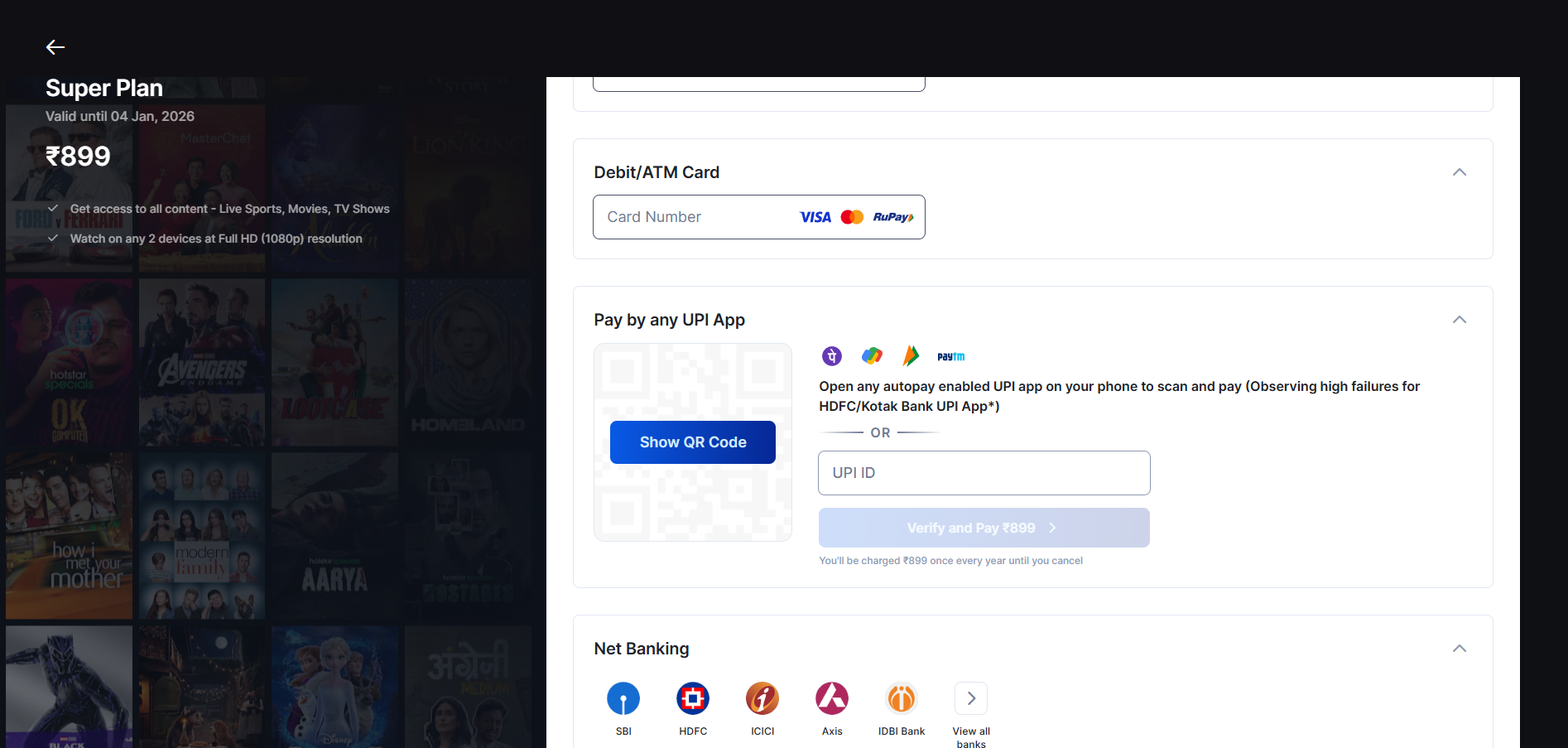

- Pick a TV show or film and start streaming!
Using a Google Play Gift Card
Another way to get Hotstar in the UK is to register a separate Google account (with an Indian billing address), then fund your account with a Google Play gift card. Full guide below:
- Grab a VPN that can unblock Indian Hotstar in the UK (we recommend NordVPN).
- Install the VPN on your Android device.
- Open the VPN and connect to an Indian server.
- Create a new Google account and set the region to India.
- Buy an India Google Play gift card from a retailer.
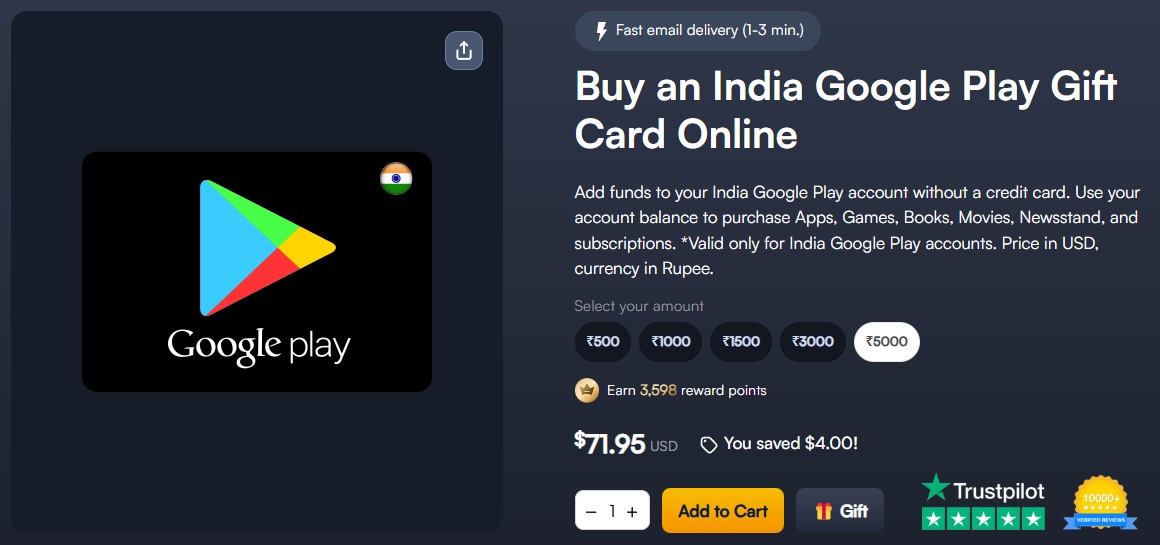

- Redeem the funds in your Indian Google Play account.
- Download the Disney+ Hotstar app from the Google Play Store.
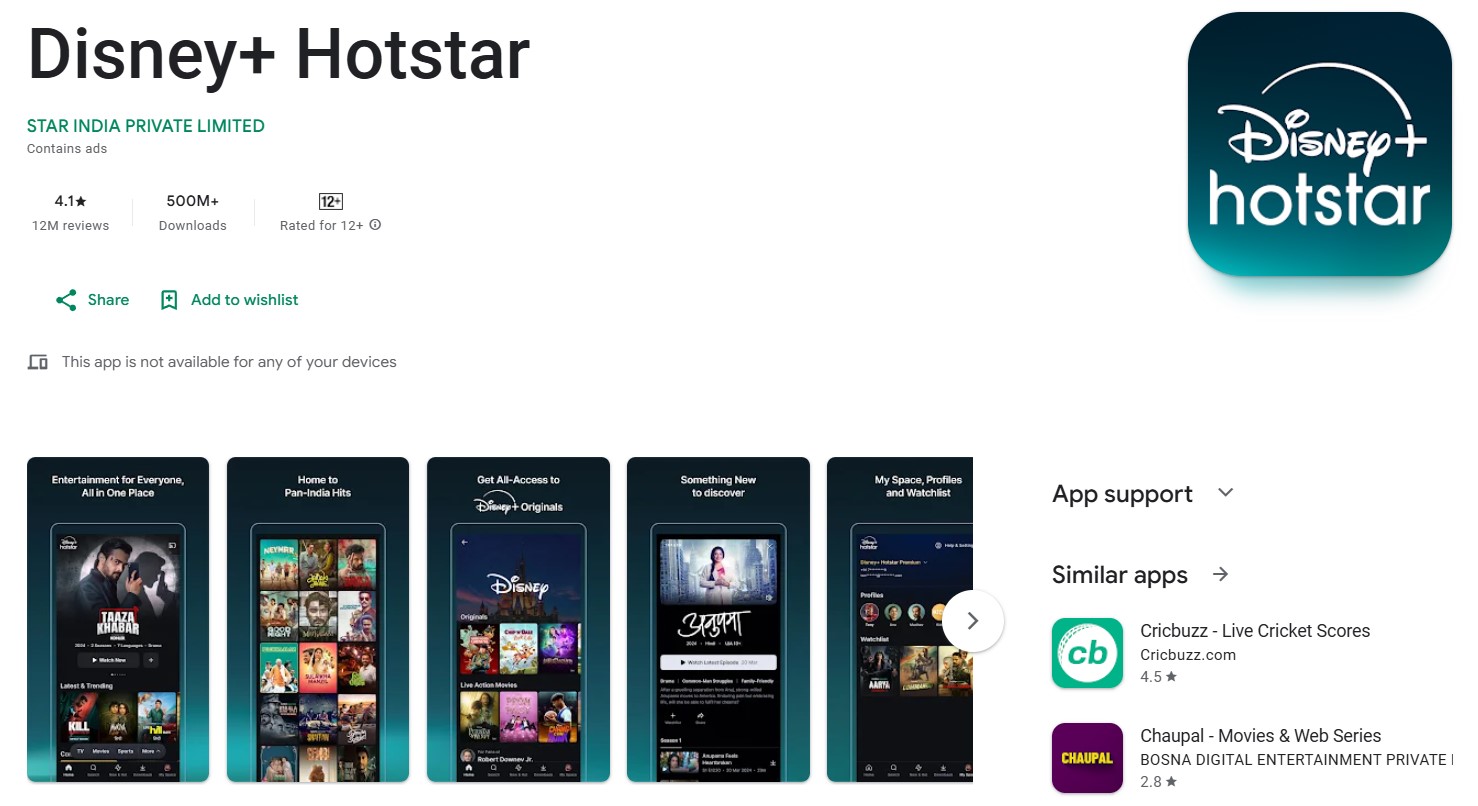

- Launch the app, sign up, and pay using your Google Play funds.
- That’s it! Now, you can start streaming your favorite Hotstar content.
What to Watch on Hotstar in the UK
Disney+ Hotstar has a massive selection of Indian movies, TV shows, Disney classics, Marvel hits, Pixar films, and Nat Geo documentaries, along with a variety of live sports. With such a wide array of content, it’s easy to feel unsure where to start. To help you out, we’ve put together a list of the latest content you can stream on Disney+ Hotstar. Check out our top picks below.
Disney+ Hotstar India vs Hotstar UK: What's the Difference?
Content libraries are the main difference between Disney+ Hotstar India and Hotstar UK. If you’re looking to get your fix of Indian soaps and movies, Disney+ Hotstar India has the better library. Moreover, it also offers Disney+ content like Marvel and Star Wars titles, whereas Hotstar UK users need a separate Disney+ subscription to watch those.
There are also different subscription prices and payment method requirements. Disney+ Hotstar is the cheaper option of the two. However, we should note that you need an Indian payment method and phone number to subscribe, which is fortunately not a requirement on Hotstar UK.
Here’s a quick rundown of the differences between the services:
Why Isn't Disney+ Hotstar Working with a VPN in the UK?
You might have trouble getting Hotstar to work in the UK with a VPN for numerous reasons. In general, VPNs should be easy to use, as they're powered by fully automated operations. However, things can go wrong at times. So, if you’re having trouble watching Disney+ Hotstar in the UK, you can try the following:
- Restart Your Device – Sometimes the simplest solution is the best option. By restarting your device and VPN, it will often solve a number of issues and get things working again so you can stream Disney+ Hotstar.
- Check Your Connection – If your Internet is too slow or unstable, it will impact the performance of your VPN. This can prevent it from being able to unblock Disney+ Hotstar. Reboot your modem and/or router if there are connection issues to see if your streaming problems go away.
- Try Another Server – If the server you connect to is slow, it might be overcrowded. That can cause performance issues and other technical problems. Try connecting to another server in India and see if the issues resolve.
- Change Protocols – Most VPNs will try to find the best protocol, but you can manually choose OpenVPN, which works great for streaming Disney+ Hotstar in the UK, but it can be slow at times. There's also WireGuard, which should be pretty fast and capable.
- Delete Your Cache – If you’ve been using the UK version of Hotstar, locally stored data will reveal your actual location. To force Hotstar to read your VPN IP address, delete your browser’s cache files.
- Update Your VPN – Some VPNs will not function properly unless they're updated to the latest versions. This is because each update usually contains patches and bug fixes that help the app operate smoothly. Make sure your VPN is updated at all times to avoid this issue.
- Temporarily Disable Your Firewall – Firewalls can interfere with VPN operation. Try disabling the firewall on your device and see if you can unblock Disney+ Hotstar then. If you can, then you'll need to add a firewall rule to make your VPN an exception.
- Uninstall Other VPN Apps – Having multiple VPNs installed at once can cause issues because they may interfere with one another. Ensure the VPN you want to use is the only one on your device.
- Ask Your VPN for Assistance – If nothing else helps, turn to your VPN for assistance. One of the reasons we recommend NordVPN is its 24/7 customer support. What's more, you can chat with its agents live (via its website), which is the quickest way to get some actionable tips.
- Switch VPNs – The VPN you're using might just be incompatible with Disney+ Hotstar. Only thing left is to try a different one.
Want to check additional solutions? If you do, here’s our central guide to troubleshooting VPN apps. Also, here’s how to deal with VPN error codes if you see an error code while trying to use your VPN.
Final Thoughts
Hotstar may be available in the UK, but it’s missing a load of interesting content, especially Indian-exclusive shows and movies. Disney+ Hotstar is the Indian version with a very different library, but you can't use it if you travel to the UK. Fortunately, you can use a reliable VPN to change your IP to India and unblock Disney+ Hotstar, allowing you to access these geo-restricted titles from anywhere.
We highly suggest using NordVPN, not just for its virtual servers in Mumbai and SmartPlay feature that safely bypasses geo-blocks, but also for its massive network of over 7,000 servers in 118 countries. With such a vast network, you can effortlessly unblock other platforms as well. Best of all, it has blazing-fast streaming speeds. However, there are also other excellent alternatives that you can use.
Surfshark is ideal for sharing due to its unlimited device connections, while ExpressVPN is perfect if you prefer speed and advanced privacy features like network-wide obfuscation. CyberGhost VPN is another solid choice, offering the convenience of dedicated streaming servers optimized for platforms like Hotstar. No matter which of these options you go with, they’re top picks on our list, so you’re in good hands.
That’s all for our guide! If you have any questions or doubts, share them via the comments section below. Finally, thanks for reading!
Related